
01
Select real UI
Select one or many elements in the running application, then confirm the pending set with Done.
React developer tooling

Agentic React
Select real UI in the browser and capture component names, selectors, source locations, snippets, owner traces, and local MCP tools—so agents edit the right code without guessing.
Selection workflow
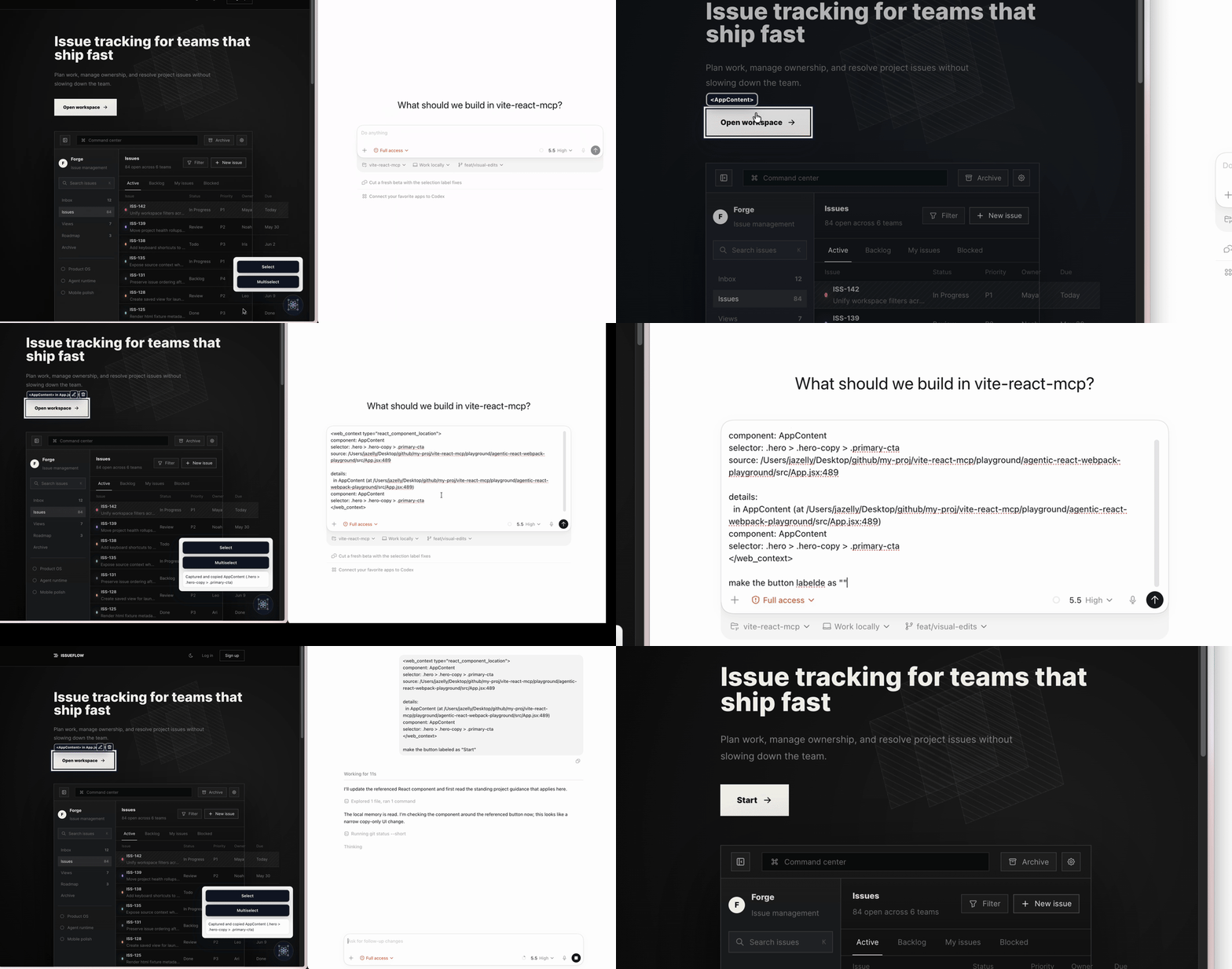
The toolkit overlays real applications, traces selected components, and packages that context for an agent. Every frame comes from the official playground.
Slide 1 of 5: See the complete selection workflow
01 / 05
Select live React UI and hand its exact source context to a coding agent.
Use left and right arrow keys while this carousel is focused.
Why it matters
Agentic React turns visual intent into source-aware evidence an agent can act on without searching the whole application by description.
01
Select one or many elements in the running application, then confirm the pending set with Done.
02
Collect component names, stable selectors, source locations, nearby code, and owner traces.
03
Copy structured text or JSON, or expose the selection through a local MCP endpoint.
Developer workflow
The browser runtime understands the live React tree. Bundler adapters add local source lookup and MCP transport while keeping the bridge in development tooling.
Choose the package that matches the application bundler.
Use the in-browser overlay to capture the components you mean, then confirm the pending selection.
Send exact source-aware context through copy, JSON, or the local MCP bridge.
Choose an adapter
Each adapter includes the core browser runtime and adds its local development bridge.
Vite
pnpm install @agentic-react/vite -DWebpack
pnpm install @agentic-react/webpack -DNext.js
pnpm install @agentic-react/next -DCommunity notes
Use arrow keys to browse
Endorsement 1 of 4 from chukeng

“Agentic React replaces 'that thing on the page' with an exact component, selector, and source location. My coding agent starts from evidence instead of guessing.”
Next step
Install the adapter for your stack and hand the next UI edit exact React context.