

01
Save tokens first
Reuse a web subscription for research, drafting, review, and transformations instead of adding another model API request.
Agent tooling

Tokenless lets agents use signed-in ChatGPT, Claude, or Gemini pages through visible browser interaction—without exporting provider credentials or silently falling back to a paid API.
Extension interface
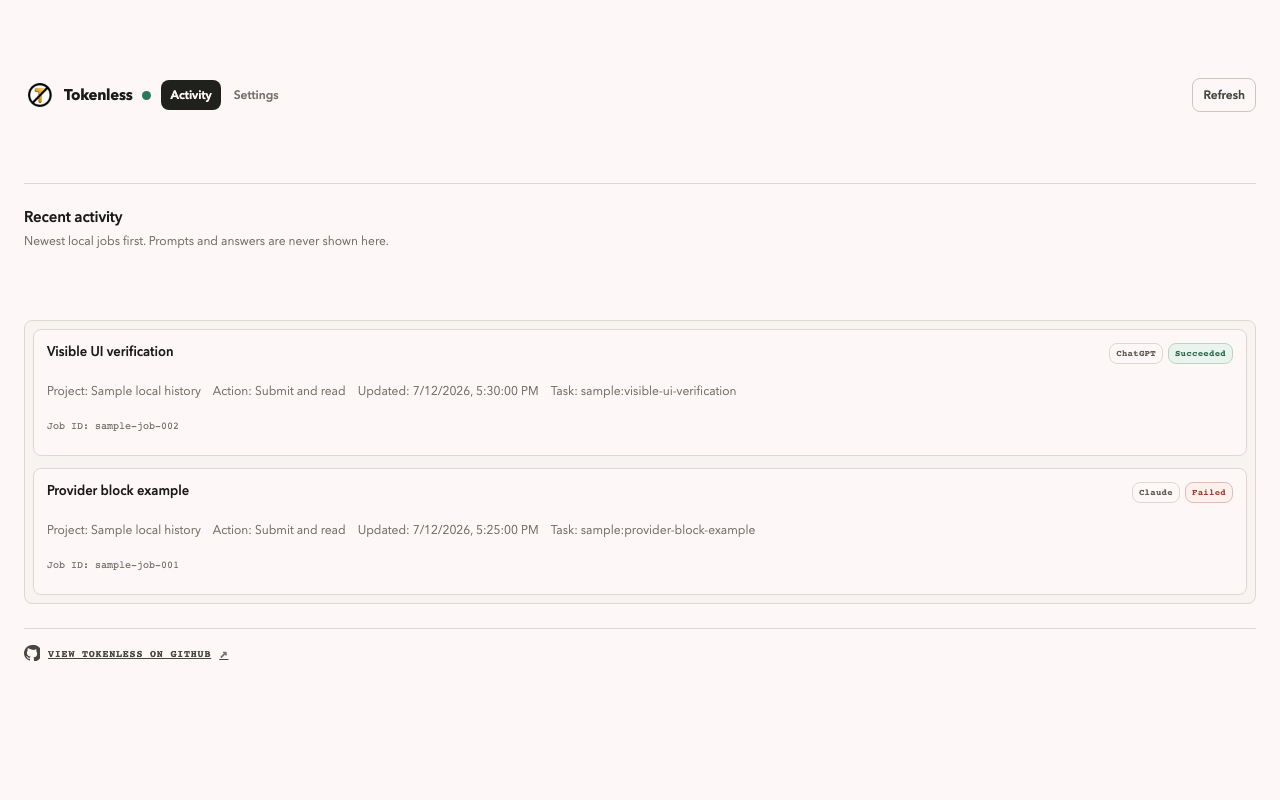
The extension shows recent work and keeps browser-provider permissions explicit. These are the official Chrome Web Store screenshots.
Slide 1 of 2: Recent activity
01 / 02
See provider work, status, and results from the local extension workflow.
Use left and right arrow keys while this carousel is focused.
Core value
Tokenless connects local agent workflows to provider pages you can see, using normal browser controls and an explicit permission boundary.
01
Reuse a web subscription for research, drafting, review, and transformations instead of adding another model API request.
02
Provider cookies, passwords, browser-storage tokens, and hidden authorization headers stay inside the browser.
03
Extension mode operates the visible provider UI, so sign-in, CAPTCHA, rate limits, and confirmations remain under your control.
Visible mode
The default extension path is intentionally narrow: choose what to send, use the provider page you already authorised, and return the visible response to the agent workflow.
Complete the visible provider login and browser permission flow opened during setup.
Send the prompt, shareable context, and files you intentionally selected.
Tokenless returns what the provider page rendered to the local workflow.
Get started
Tokenless requires Node.js 24.15+ and a Chromium browser for extension mode.
Install
npm install --global tokenless@latestConnect
tokenless setup --jsonVerify
tokenless doctor --jsonCommunity notes
Use arrow keys to browse
Endorsement 1 of 4 from bornajerk

“Tokenless lets my agents use the AI sessions I already trust without moving browser credentials into another tool. The boundary is visible and easy to understand.”
Next step
Read the source, review the security boundary, and run the local setup when you are ready.