
“Tokenless lets my agents use the AI sessions I already trust without moving browser credentials into another tool. The boundary is visible and easy to understand.”

Tokenless lets agents use signed-in ChatGPT, Claude, or Gemini pages through visible browser interaction, without exporting provider credentials or silently falling back to a paid API.
Choose what to send, use the page you already authorised, and get the visible response back.
Complete the visible provider login and browser permission flow opened during setup.
Send the prompt, shareable context, and files you intentionally selected.
Tokenless returns what the provider page rendered to the local workflow.
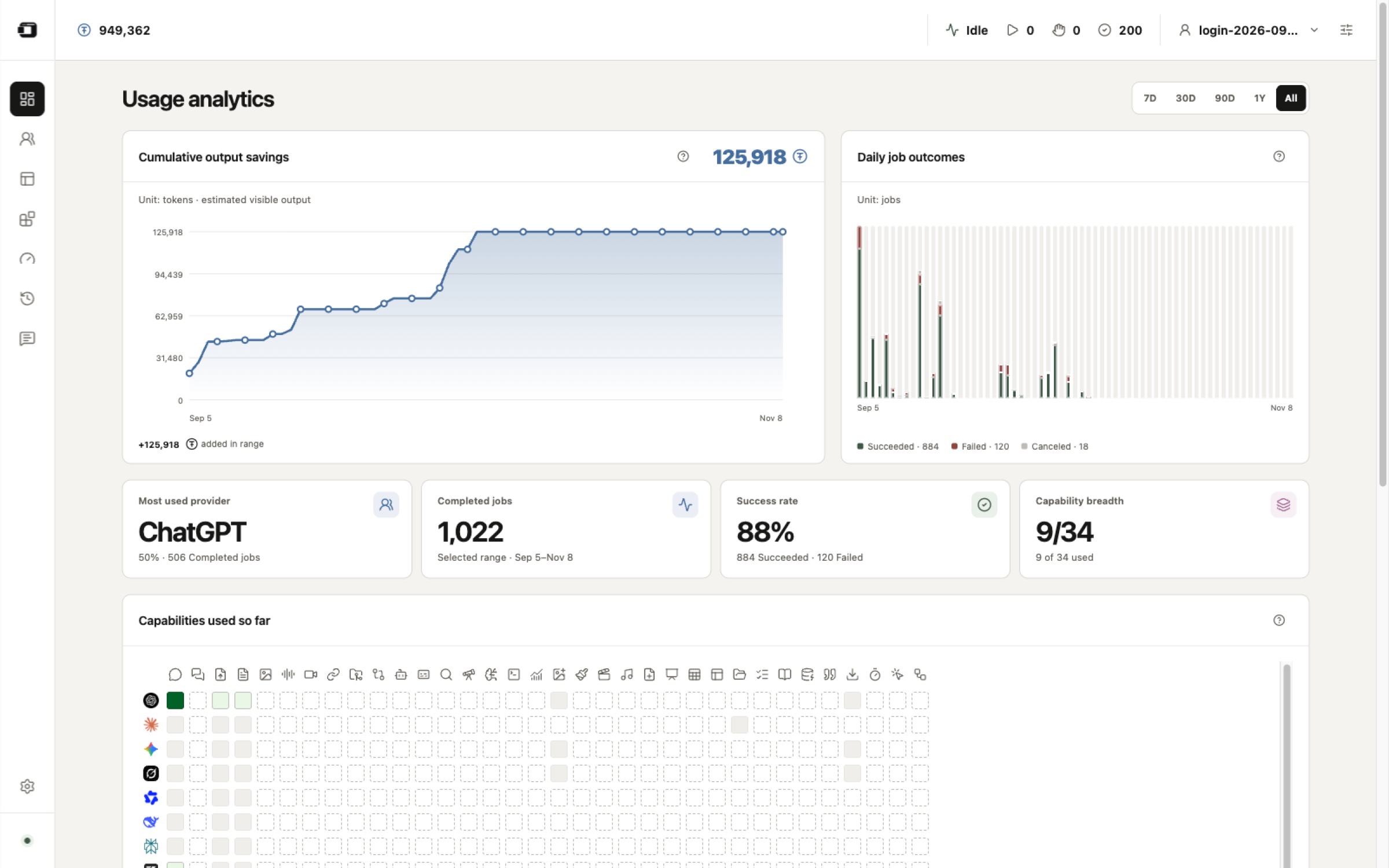
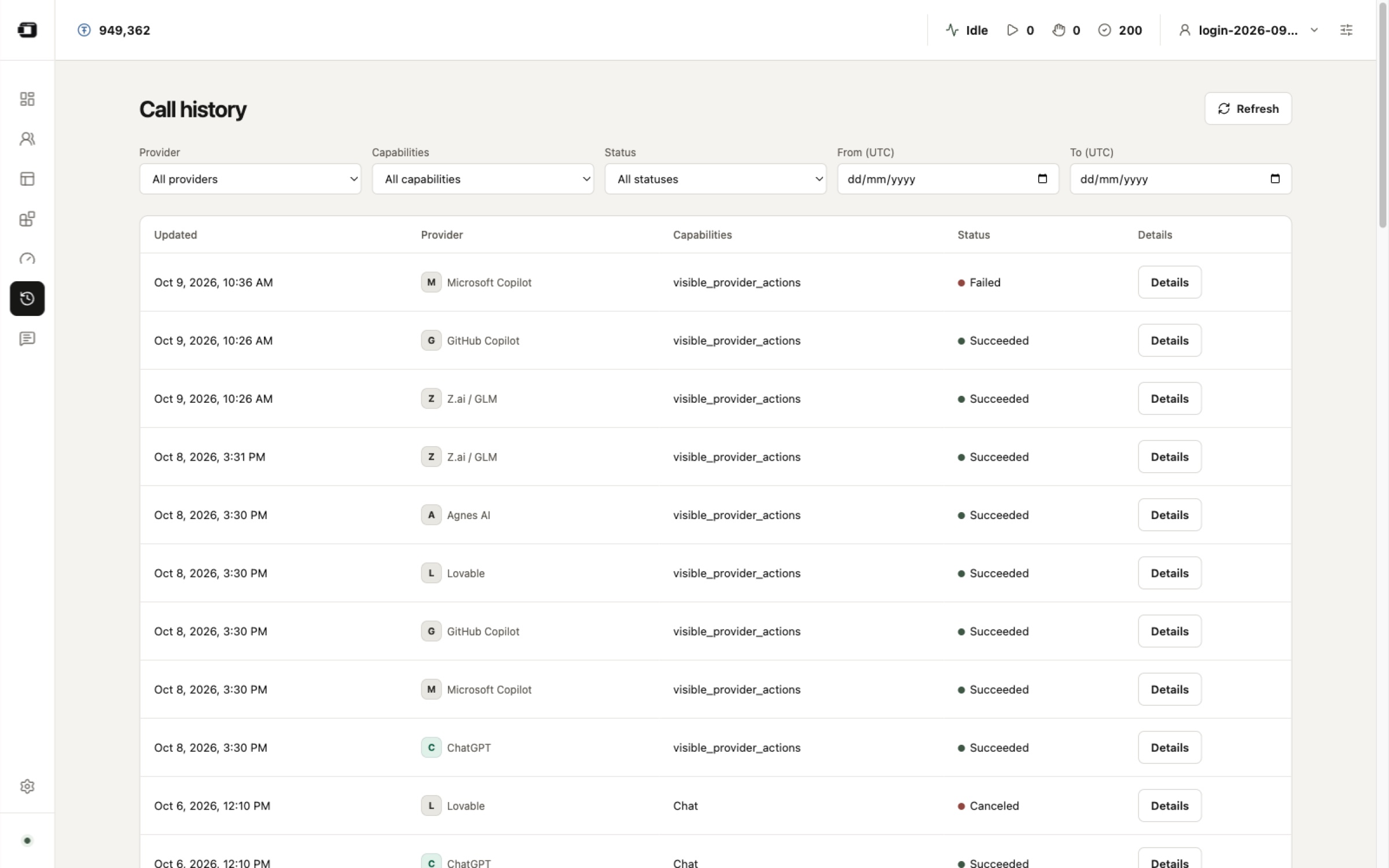
The local Dashboard shows what ran, where it ran and what it saved. Captured from a real Tokenless install.
Tokenless connects local agent workflows to provider pages you can see, using normal browser controls and an explicit permission boundary.
Reuse a web subscription for research, drafting, review, and transformations instead of adding another model API request.
Provider cookies, passwords, browser-storage tokens, and hidden authorization headers stay inside the browser.
Extension mode operates the visible provider UI, so sign-in, CAPTCHA, rate limits, and confirmations remain under your control.
Tokenless requires Node.js 24.15+ and a Chromium browser for extension mode.
npm install --global tokenless@latesttokenless setup --jsontokenless doctor --jsonEndorsement 1 of 4 from bornajerk
“Tokenless lets my agents use the AI sessions I already trust without moving browser credentials into another tool. The boundary is visible and easy to understand.”
Visible mode is designed around normal provider pages and user control.
Read the source, review the security boundary, and run the local setup when you are ready.