
A clinic workspace built with AI.
In under two weeks, we worked with an Australian aesthetic clinic to bring appointments, the waiting room, patient records, injection charting, batch-tracked stock, billing and follow-up into one desktop app. AI agents did the research, design and coding; the clinic keeps the final say on every clinical rule.
- Starting point
- Bp Premier habits
- Clinic work
- Injectables and skin
- Result
- One desktop app
- Built with
- AI agents
From research notes to an installable app.
AI agents worked every stage; people kept the decisions.
- 01
Research the workflow
Agents read Bp Premier, MedicalDirector and Fresha docs and mapped the clinic habits.
- 02
Design against real tasks
Screens were generated, critiqued and trimmed to the modules staff use daily.
- 03
Build and verify
Coding agents built the Electron app and checked every screen before release.
One day at the clinic, start to finish.
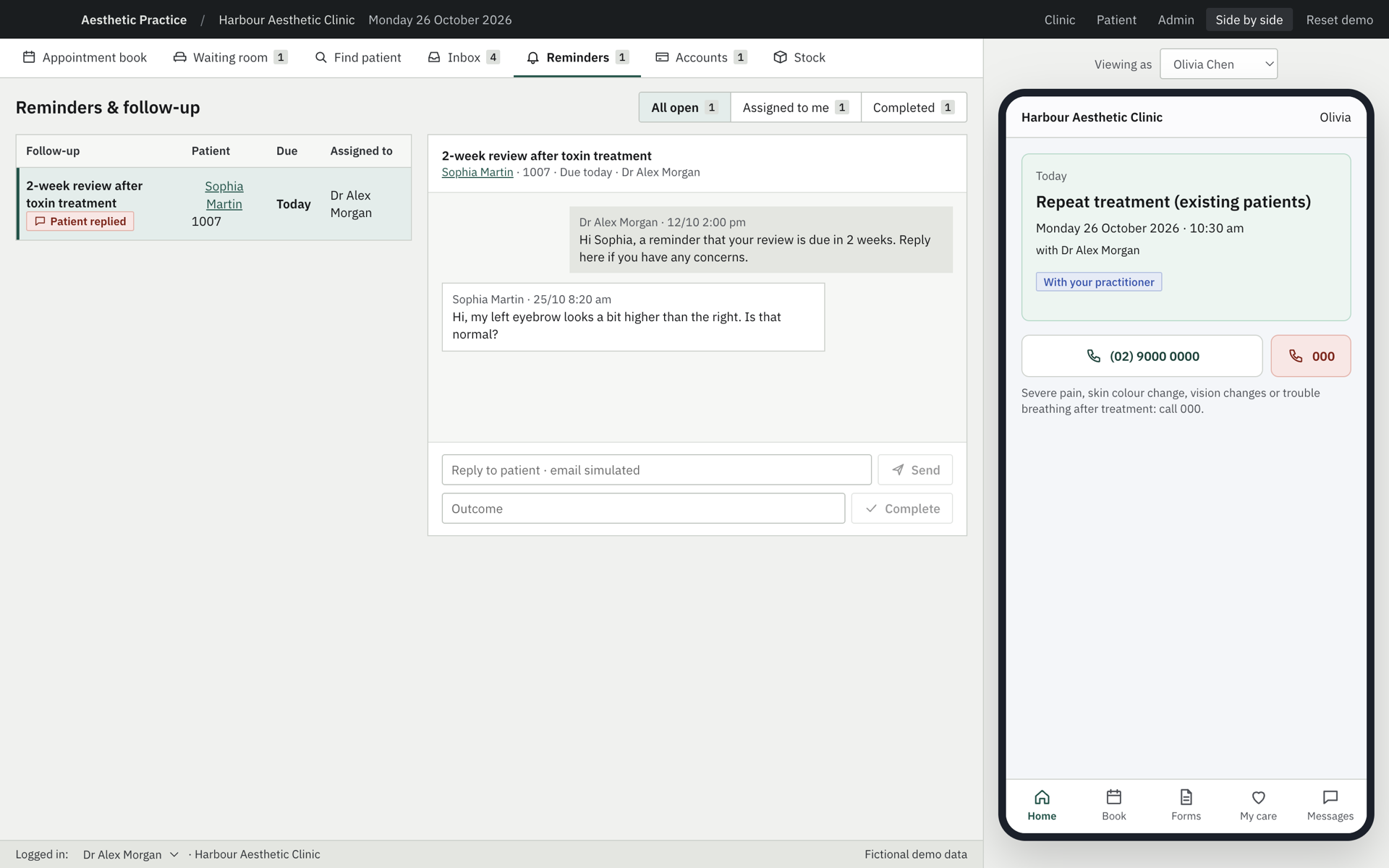
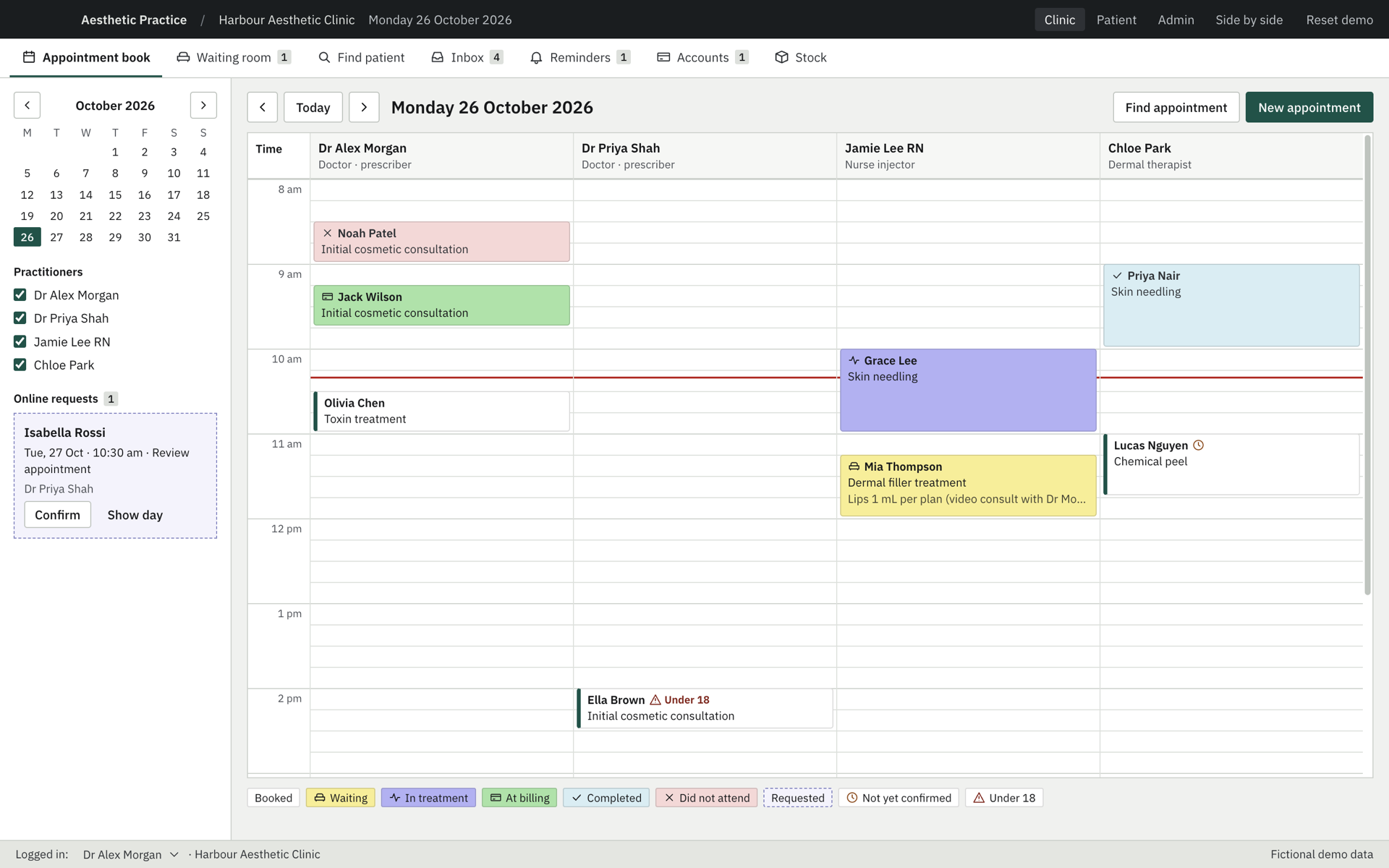
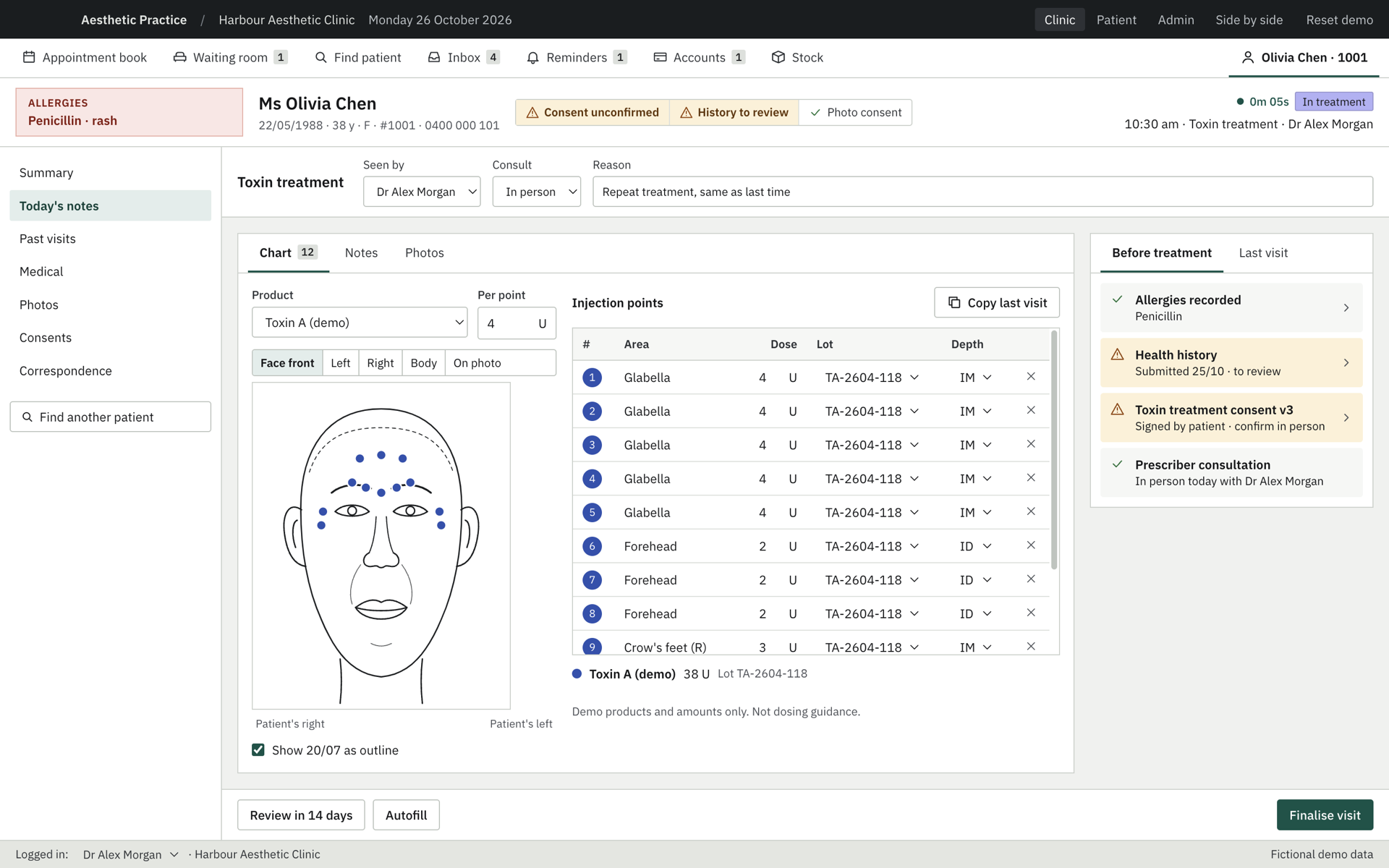
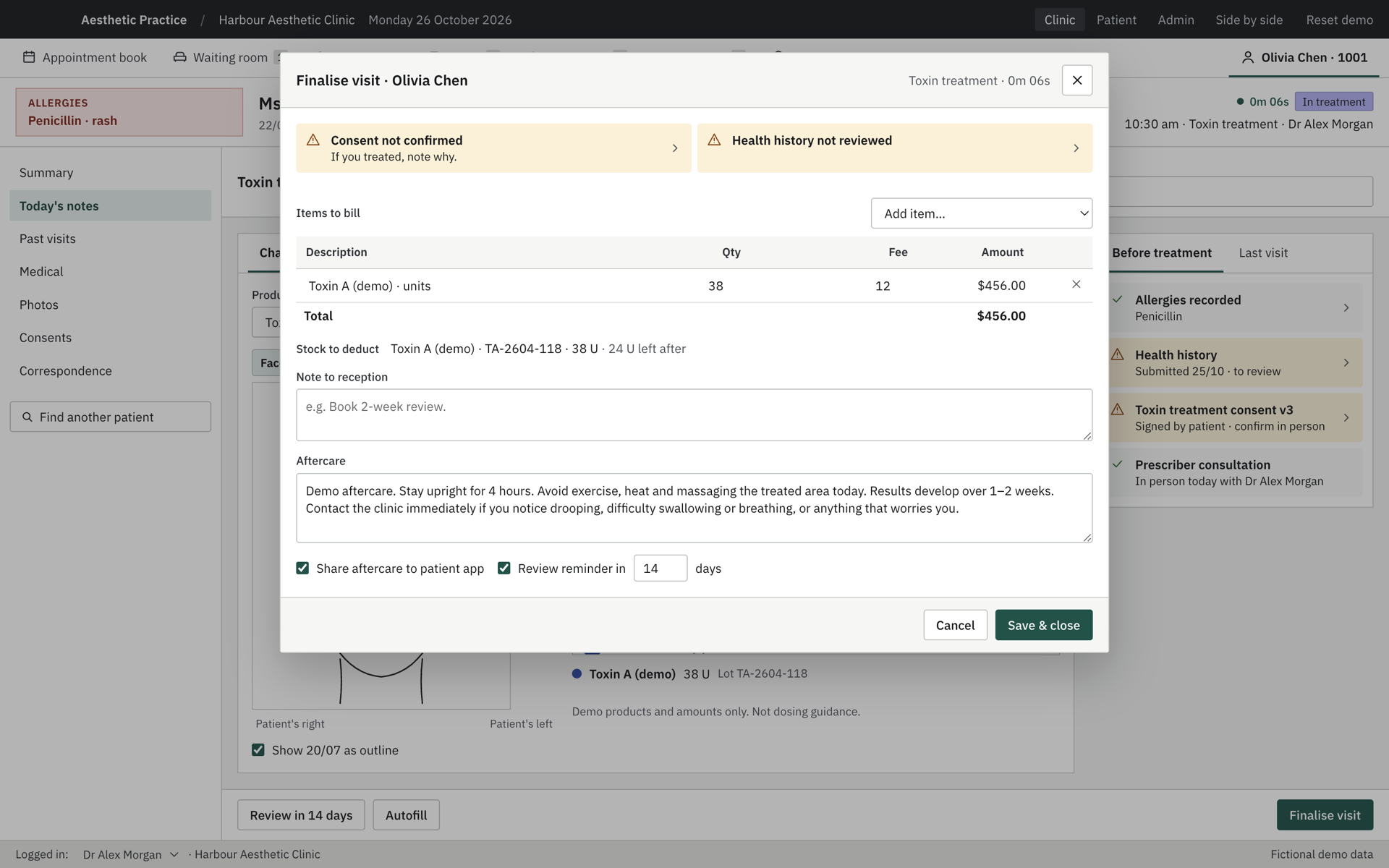
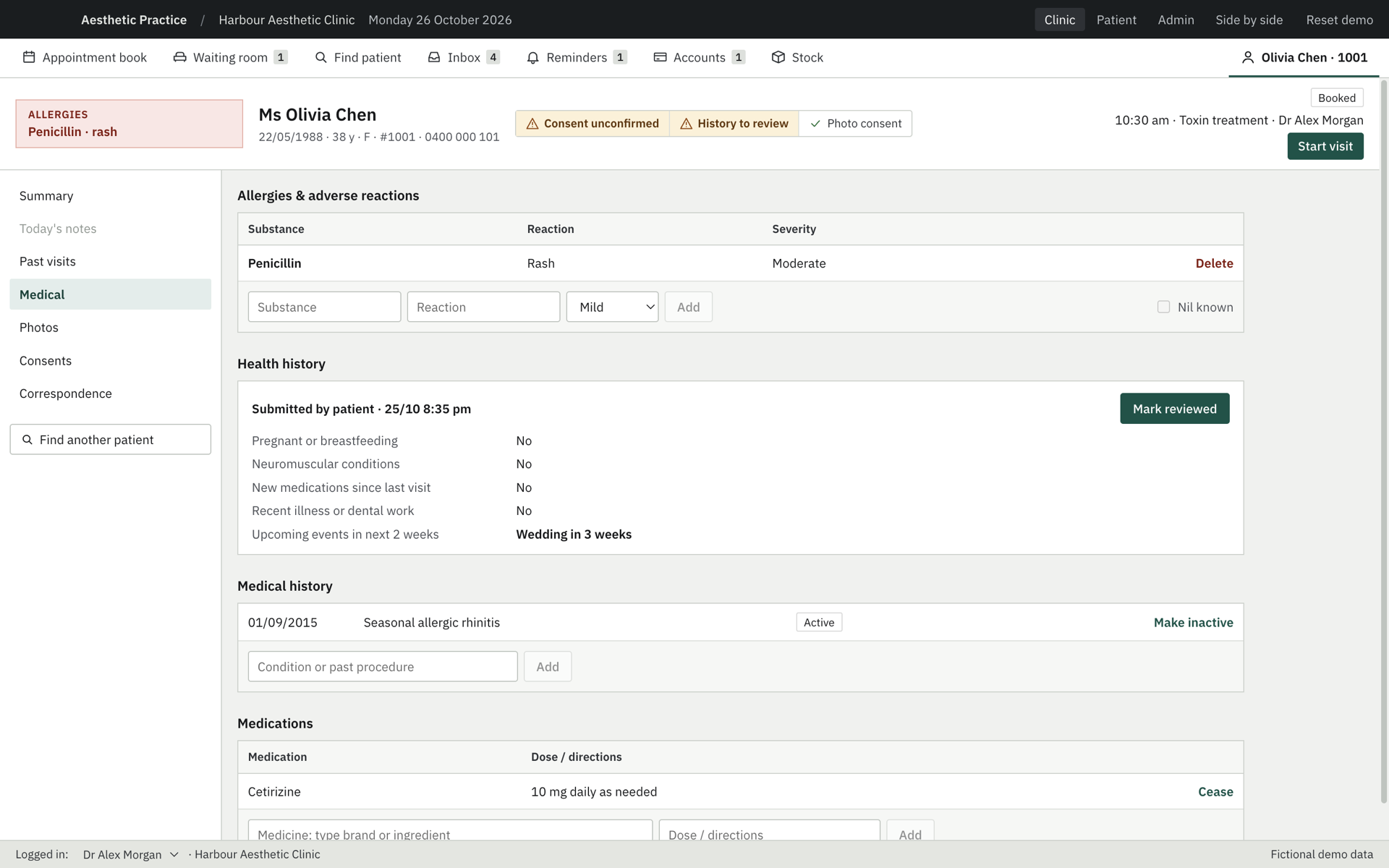
Every screen below is the shipped demo running on fictional patients. Reception, practitioners and the patient app work on the same record.
Fewer hand-offs between people and screens.
The app keeps the workflow staff know and removes the copying between systems.
Every check before treatment
Allergies, consent status and the patient’s health history stay visible on the record, so gaps surface before treatment starts.
Charting that feeds stock and billing
Injection points carry the product lot. Finalising the visit prices it, deducts the batch and keeps a patient trace for recalls.
Follow-up that closes the loop
Aftercare goes to the patient app, replies come back to Reminders, and a clinician records the outcome.
Try the clinic demo on your computer.
Free, with a sample clinic day. The installers are not code-signed yet, so confirm the first launch.
- macOS: open once, then choose Open Anyway in Privacy & Security settings.
- Windows: choose More info, then Run anyway.
- Reset demo in the top bar restarts the sample day.
Demo boundaries
For evaluation, not clinical use.
- Patients, products and lot numbers are fictional. Never enter real patient data.
- Data stays on your computer: no server, login, payment or email.
- Clinical wording, amounts and consent text are placeholders, not medical or compliance advice.
Does your team still run on five disconnected tools?
We build focused, AI-assisted software around the way your people already work. Download the demo, or write to hello@vertile.ai.